
Rebilling (SaaS plans)
Want to rebill your clients? Signal House got your back with the well organized SaaS plans.
Let's walk through how you can set up the SaaS plans as per your needs:
Head to the Signal House app and look for SaaS plan option on the dashboard.

Press the "CREATE PLAN" button and name the plan as per your requirement.
Add plan name and description.
You'll have a plan configuration page opened up.
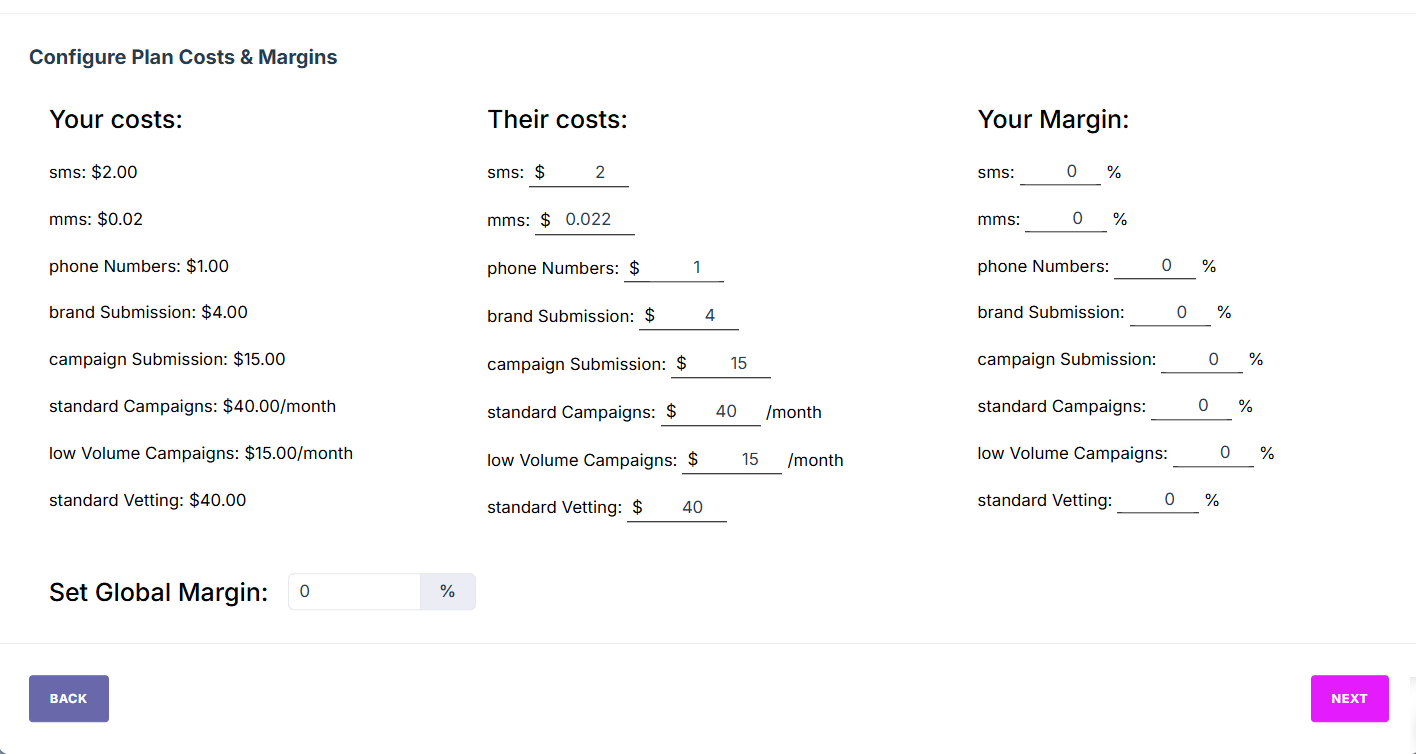
In "Global Margin" you can set the percentage of profit for your business. For instance, if you set margin at 100 percent, all the prices in "Their Costs" will be doubled from "Your Costs." This is how the basic configuration works.
Once created, press "Next" button and then you can assign the plan to multiple Sub Accounts are per the requirement. Press "Save" and you're done creating the SaaS plan.
Lastly, to enable rebilling, head to “Settings” on the app dashboard and make sure you integrate your Stripe Key.
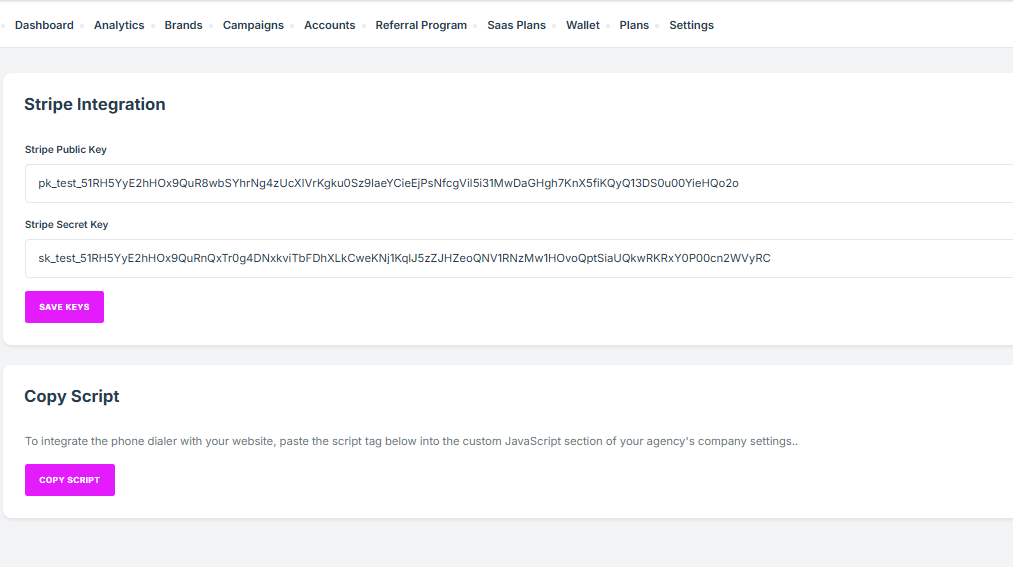
How to Set Up Stripe Keys in Signal HouseGo to Agency View → Open the Signal House App → Click on Settings.
Scroll down to the Stripe Integration section.
Paste your Stripe API Keys:
Publishable Key
Secret Key
Save your changes to connect your Stripe account with Signal House.
⚠️ This allows Signal House to process payments directly through your Stripe setup. Make sure this step is done in Agency Mode, not on Sub Accounts.
Important: All the steps are required to be done on agency mode, not on sub accounts.
Need More Help?
If you have any questions or need assistance, check out our Help Center or reach out to our Support Team. We're here to help!